


CNC G-code Basics & Simulator Seminar
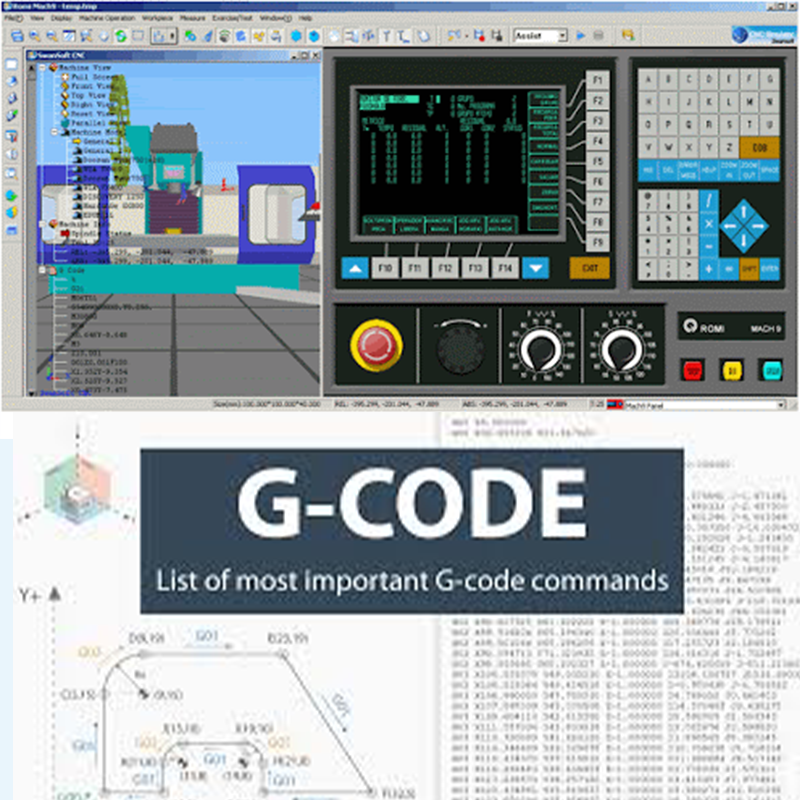
Article list :
- titlUnderstanding the Fundamentals of CNC G-code Programminge1
- titleThe Role of Simulators in Enhancing CNC G-code Skills2
- Key Concepts and Commands in CNC G-code: A Beginner’s Guide
- Hands-On Practice: How CNC Simulators Help Perfect Programming
- Why G-code Mastery is Essential for Modern CNC Machining Careers
This article provides a comprehensive overview of CNC G-code basics and the importance of simulators in mastering CNC programming. It explores key concepts and commands, highlighting how simulators offer valuable hands-on practice. The article emphasizes the role of G-code mastery in ensuring precision and efficiency in machining. Ideal for beginners, it offers insights into how these skills shape successful careers in modern manufacturing.
Understanding the Fundamentals of CNC G-code Programming
Understanding the Fundamentals of CNC G-code Programming” involves learning the basic commands and syntax used to control CNC machines. These commands, such as G, M, and T codes, tell the machine how to move, cut, and perform various operations. Mastery of G-code is essential for creating precise and efficient machining programs
The Role of Simulators in Enhancing CNC G-code Skills
Simulators play a crucial role in enhancing CNC G-code skills by allowing users to practice programming and machine operations in a virtual environment. They provide immediate feedback, helping to identify errors and improve accuracy without the risks of real-world machining. This hands-on experience accelerates learning and builds confidence in CNC programming.
Key Concepts and Commands in CNC G-code: A Beginner’s Guide
Key concepts in CNC G-code include understanding the fundamental commands such as G (for geometric movement), M (for machine functions), and T (for tool selection). These commands direct the machine to perform specific tasks like moving to coordinates, initiating a cutting cycle, or switching tools. A beginner must grasp these core commands and their syntax to effectively program and control CNC machines.
Hands-On Practice: How CNC Simulators Help Perfect Programming
CNC simulators offer hands-on practice by allowing users to write and test G-code programs in a virtual environment, simulating real machine operations. They help identify and correct mistakes, improve program flow, and visualize tool paths before actual machining. This practice ensures that operators gain confidence, reduce errors, and optimize their CNC programming skills efficiently.
Why G-code Mastery is Essential for Modern CNC Machining Careers
G-code mastery is essential for modern CNC machining careers because it forms the foundation of programming for most CNC machines. Proficiency in G-code allows machinists to create precise and optimized tool paths, ensuring high-quality production and efficiency. As the manufacturing industry continues to rely on automation, strong G-code skills are crucial for staying competitive and advancing in CNC-related roles.
Final Recommendations :
In conclusion, mastering CNC G-code and utilizing simulators are crucial steps for anyone pursuing a career in CNC machining. Hands-on practice through simulators enhances programming skills, making it easier to spot and correct errors. Understanding key G-code commands lays the foundation for creating efficient, precise machining programs. Continuous learning and practice are essential for staying competitive in the ever-evolving field of CNC technology.